






Shuri's Mafia

Real Gangster Shit

CPUCores :: Maximize Your FPS

Shop Info

Developers Publishers Release Date Price Buy CPUCores :: Maximize Your FPS

Smorb Software

Smorb Software

6 Jul, 2015 (10 years ago) 16.99$ STEAM
Kinguin
KeyForSteam
SteamDB

Description

Just Updated

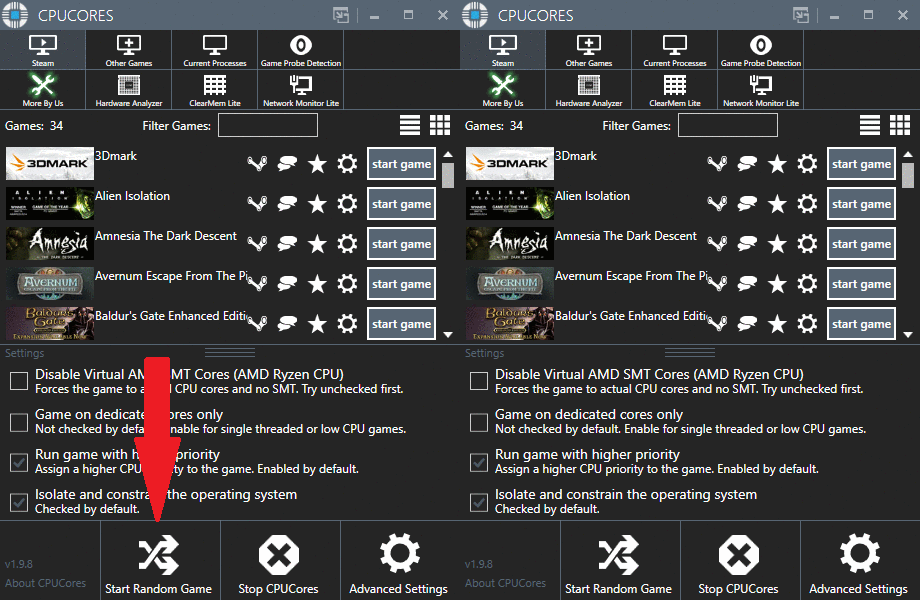
  • 1 Click "START RANDOM GAME" functionality!
  • Works extremely well with Battle Royale games!
  • CPUCores fully supports VR-based games!
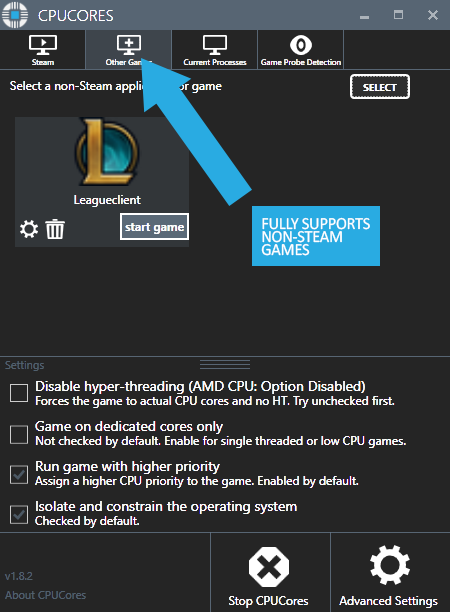
  • Fully supports Steam-based games as well as non-Steam games and applications!


About the Software

CPUCores ADVANCED is a cutting-edge Windows-based software built--by gamers, for gamers--with one thing in mind: MAXIMIZE YOUR FPS! CPUCores ADVANCED does this better than ever before by micromanaging your Windows OS and non-essential applications to deliver maximum CPU to your game!

1) DIRECT STEAM INTEGRATION

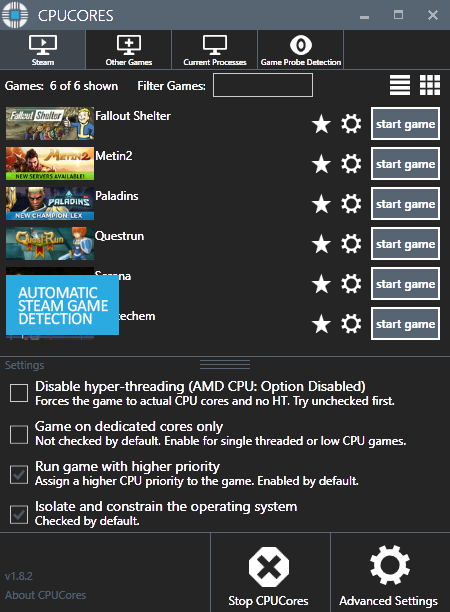
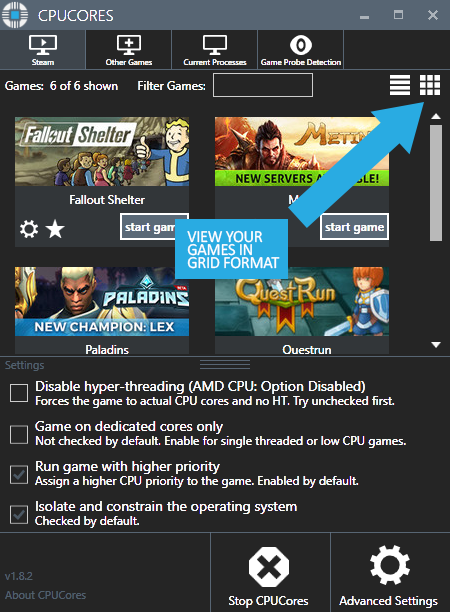
  • CPUCores automatically detect all of your Steam games.

2) OS OPTIMIZATION

  • To start, CPUCores will isolate your entire OS to your first core.

  • Secondly, CPUCores examines and constrains key Windows services that are not essential and known to hog CPU resources.

  • Third, CPUCores examines and isolate key Windows processes to ensure a perfect balance of CPU savings without starving key Windows processes.

3) GAME OPTIMIZATION

  • CPUCores will isolate and dedicate processing cores to be exclusively used by your game.

  • CPUCores will allow game-specific hyper-thread disabling/enabling.

4) BACKGROUND / NON-GAME OPTIMIZATIONS

  • CPUCores examines what non-OS and non-game operations your PC is running. It will do things such as constrain non-game programs to your first processing core.

5) EXTRAS

  • Ability to "START RANDOM GAME" with 1 button click!

  • Fully supporting VR games!

  • Support for non-Steam games

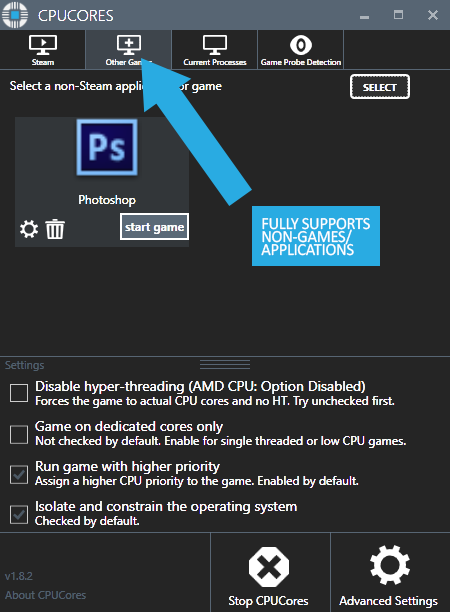
  • Support for general, non-game applications like video editing, graphic design and more!

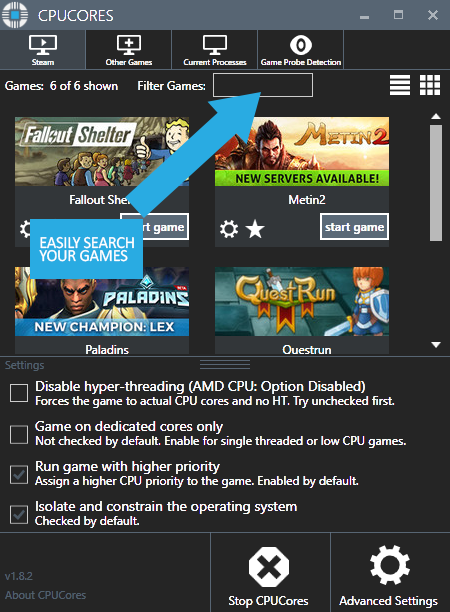
  • Convenient game sorting options makes large Steam libraries manageable

  • Incredible community surrounding the software!

  • Direct contact with the developer for suggestions on feature updates!

The impact of how CPUCores will help with FPS depends on essentially 2 things:

#1 Your PC Hardware

#2 The game itself

Here are some benchmarks we've recently seen from our test system:

  • ARMA III - 17.5% FPS Increase!

  • Team Fortress 2 - 58% FPS Increase!

  • TombRaider - 6.3% FPS Increase

  • Left4Dead2 - 14% FPS Increase

The CPUCores application identifies dozens of Windows programs, background processes, and non-gaming applications, and immediately controls and isolates them to a subsection of your total CPU resources.

CPUCores will then free up a block of CPU resources and dedicated it specifically for a game. You can then launch a Steam game, or any game/program, directly via the CPUCores application. This enables CPUCores to control the processor usage for that game/program and ensure it has dedicated usage to processing cores. Your game no longer has to share resources with the OS / other applications.

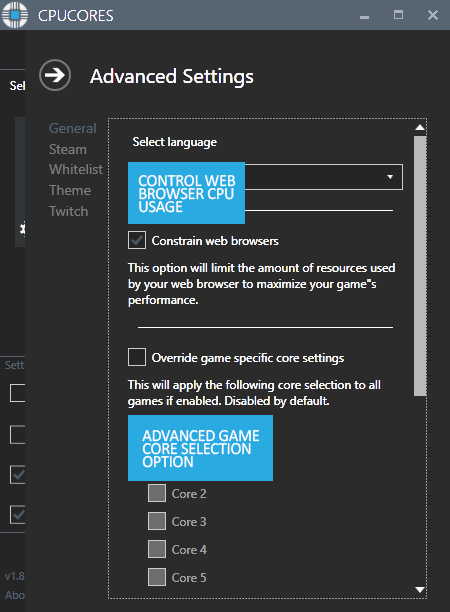
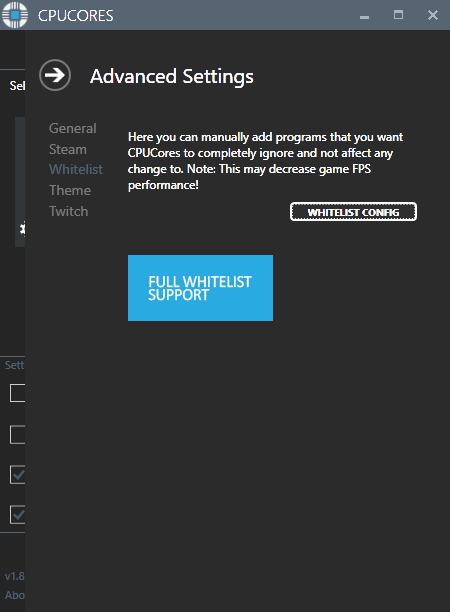
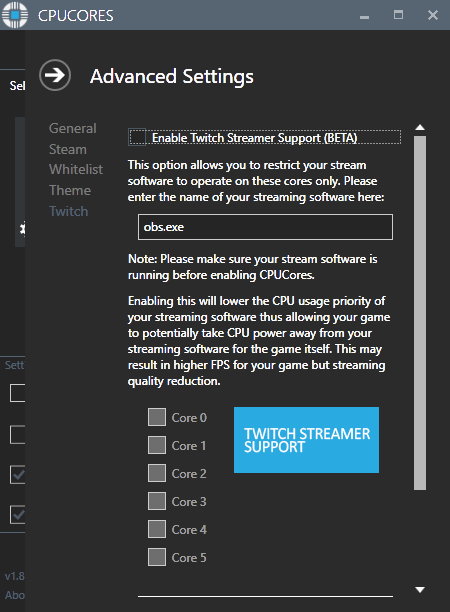
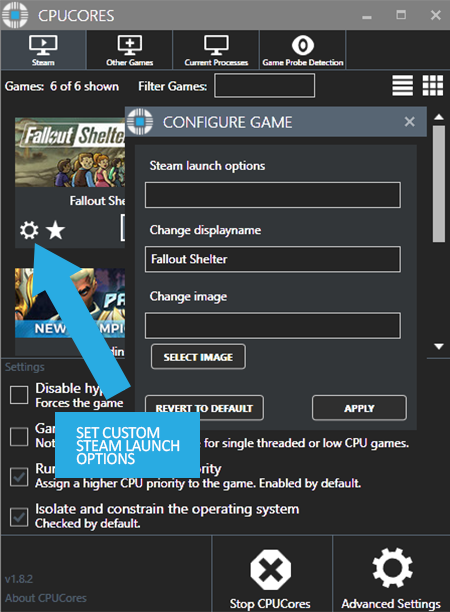
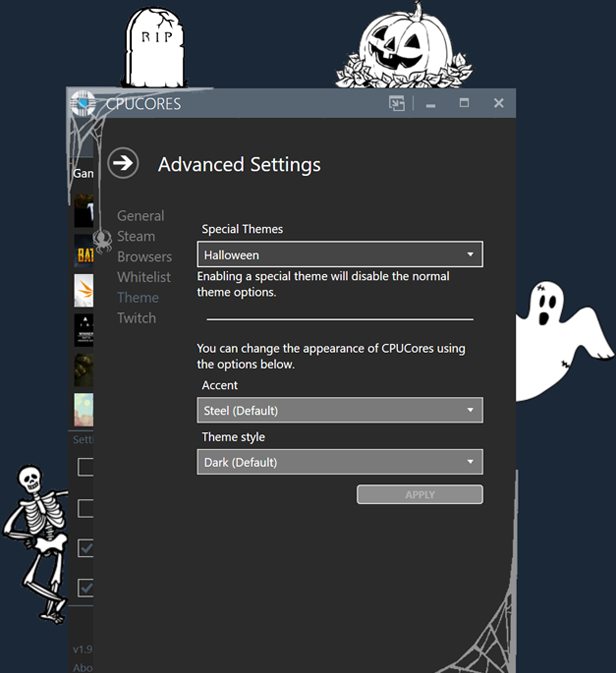
SCREENSHOTS

Windows Requirements

Minimum:
  • Requires a 64-bit processor and operating system
  • OS: Windows 10 64-bit, Windows 11 64-bit
  • Processor: Any dual core CPU or higher. Low/Medium/Medium-High 4/8/16 core CPU systems preferred.
  • Memory: 2 GB RAM
  • Storage: 500 MB available space
  • Additional Notes: CPUCores was designed for system ranging between medium-low to medium-high end PC systems. CPUs that are in the 2 core (dual core) to 4 core (quad core) range, as well as some 6 core CPUs, This systems that have the best results would typically be (low end) E8400/Q9600, AMD FX, Core2Duo, and medium-high end i7 and i9s.
Recommended:
  • Requires a 64-bit processor and operating system
  • OS: Windows 10 64-bit, Windows 11, 64-bit
  • Processor: Any dual core CPU or higher. Low/Medium/Medium-High 4/8/16 core CPU systems preferred.
  • Memory: 4 GB RAM
  • Storage: 500 MB available space
  • Additional Notes: CPUCores was designed for system ranging between medium-low to medium-high end PC systems. CPUs that are in the 2 core (dual core) to 4 core (quad core) range, as well as some 6 core CPUs, This systems that have the best results would typically be (low end) E8400/Q9600, AMD FX, Core2Duo, and medium-high end i5 and i7s.

Mac Requirements

Minimum:
    Recommended:

      Linux Requirements

      Minimum:
        Recommended:
          Achievement Icon

          1 CPU Core

          Not unlocked yet

          Your system has 1 or more CPU Cores

          Achievement Icon

          2 CPU Cores

          Not unlocked yet

          Your system has 2 or more CPU Cores

          Achievement Icon

          4 CPU Cores

          Not unlocked yet

          Your system has 4 or more CPU Cores

          Achievement Icon

          6 CPU Cores

          Not unlocked yet

          Your system has 6 or more CPU Cores

          Achievement Icon

          8 CPU Cores

          Not unlocked yet

          Your system has 8 or more CPU Cores

          Achievement Icon

          Launch a Game using CPUCores

          Not unlocked yet

          Launch your First Game Using the CPUCores Launch Button

          Achievement Icon

          CPUCores Hours Used: 100

          Not unlocked yet

          You've used CPUCores to boost your FPS for this many hours: 100

          Achievement Icon

          CPUCores Hours Used: 1000

          Not unlocked yet

          You've used CPUCores to boost your FPS for this many hours: 1000

          Achievement Icon

          CPUCores Hours Used: 2000

          Not unlocked yet

          You've used CPUCores to boost your FPS for this many hours: 2000

          Achievement Icon

          CPUCores Hours Used: 24

          Not unlocked yet

          You've used CPUCores to boost your FPS for this many hours: 24

          Achievement Icon

          CPUCores Hours Used: 250

          Not unlocked yet

          You've used CPUCores to boost your FPS for this many hours: 250

          Achievement Icon

          CPUCores Hours Used: 48

          Not unlocked yet

          You've used CPUCores to boost your FPS for this many hours: 48

          Achievement Icon

          CPUCores Hours Used: 500

          Not unlocked yet

          You've used CPUCores to boost your FPS for this many hours: 500

          Achievement Icon

          CPUCores User

          Not unlocked yet

          You are now using CPUCores!

          Achievement Icon

          Dump your Memory

          Not unlocked yet

          Use the Memory Clear Function

          Achievement Icon

          System Memory 16GB

          Not unlocked yet

          Your system has at least 16GB of RAM

          Achievement Icon

          System Memory 2GB

          Not unlocked yet

          Your system has at least 2GB of RAM

          Achievement Icon

          System Memory 32GB

          Not unlocked yet

          Your system has at least 32GB of RAM

          Achievement Icon

          System Memory 4GB

          Not unlocked yet

          Your system has at least 4GB of RAM

          Achievement Icon

          System Memory 8GB

          Not unlocked yet

          Your system has at least 8GB of RAM

          Achievement Icon

          Add a Game Manually to CPUCores

          Not unlocked yet

          You can add Games, Utilities, Streaming Software, Anything to CPUCores if you want to optimize it.

          Achievement Icon

          Optimize 10 Games with CPUCores

          Not unlocked yet

          10 Games ran Faster because you used CPUCores

          Achievement Icon

          Optimize 100 Games with CPUCores

          Not unlocked yet

          Achievement Icon

          Optimize 25 Games with CPUCores

          Not unlocked yet

          25 Games ran Faster because you used CPUCores